Data bundles for MTN, MTN Express, Telecel and AT
Stay Linked. Stay Ahead.
Buy data for MTN, MTN Express, Telecel and AT, top up your wallet instantly and follow every order to delivery. Or open your own store and sell.
Data bundles
All bundles- 1 GBMTN · 90 daysGH₵ 4.19
- 2 GBMTN · 90 daysGH₵ 8.38
- 3 GBMTN · 90 daysGH₵ 12.57
- 4 GBMTN · 90 daysGH₵ 16.82
- 5 GBMTN · 90 daysGH₵ 20.58
- 6 GBMTN · 90 daysGH₵ 24.95
Prices are confirmed in your account before you pay.
Everything in one account
One StevLink account covers buying, paying and following up.
Four networks in one place
MTN, MTN Express, Telecel and AT bundles, with prices shown before you sign in.
Instant wallet top-ups
Add money with Paystack or MoMo and it reaches your wallet instantly. StevLink never sees your card or PIN.
Every order tracked
Each order has a reference and shows the delivery status reported by the network provider.
Bulk purchase
Send bundles to many numbers in one go instead of ordering them one by one.
MTN AFA registration
Register MTN numbers for AFA from your dashboard and follow each one to Registered.
StevLink AI
Ask about bundles, prices and your own orders and get an answer straight away.
Help when you need it
Raise a complaint about an order from your dashboard and read StevLink’s reply there.
A secure account
Email and phone are verified at sign-up, and you can add an authenticator app.
MTN AFA registration
Register MTN numbers for AFA in minutes
No queues and no paperwork. Fill in the form on StevLink, pay from your wallet and follow the registration to the end.
GH₵ 12.00per registration
Resellers set their own AFA price on their store, and developers can register through the StevLink API.
- STEP 1
Fill in the details
Full name, Ghana Card or other ID, location, date of birth and occupation of the person registering.
- STEP 2
Pay from your wallet
The fee comes from your StevLink wallet and the request is sent straight away.
- STEP 3
Follow it to the end
Your AFA registrations show Registering, Registered or Rejected, as reported by the registration service.
- STEP 4
Refunded if rejected
If a registration is rejected, the fee goes back to your wallet with the reason.
For resellers
Run your own data store
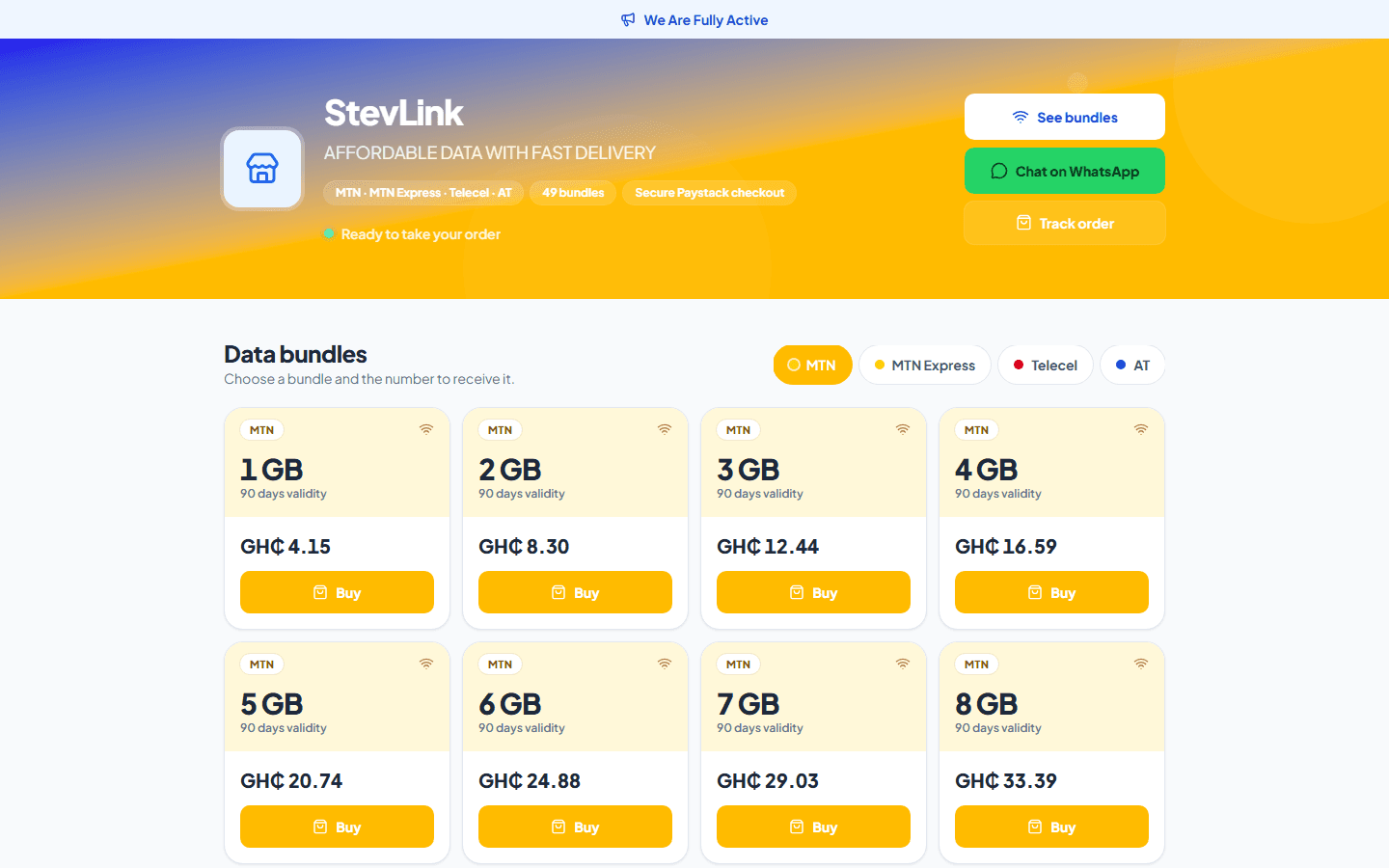
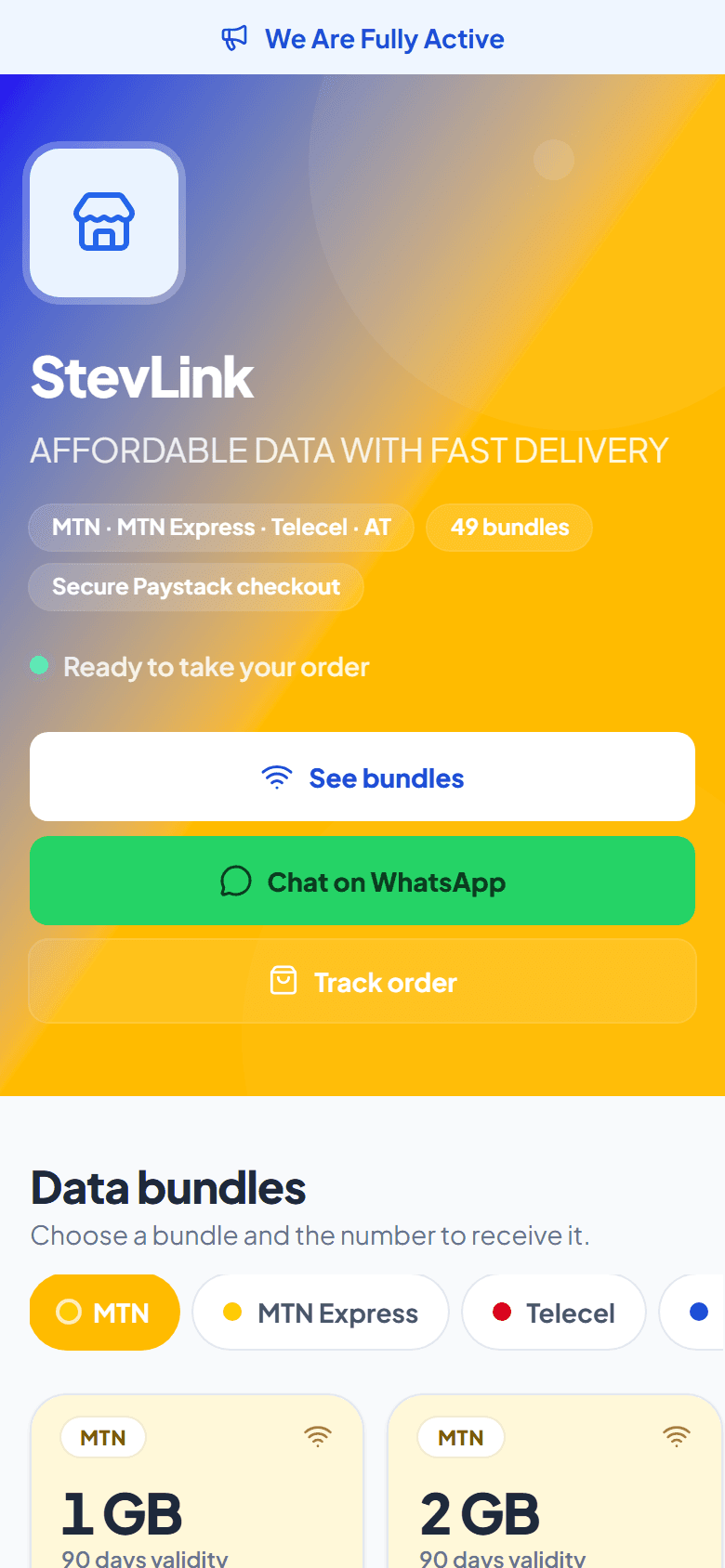
Approved resellers get a store of their own on StevLink. The pictures show a live one: StevLink, at stevlink.com/s/plus-22.
- Your own store link to share with customers, e.g. stevlink.com/s/your-store
- Set your own prices: one markup for every bundle, or a custom price per bundle
- Customers pay securely with Paystack and orders are placed for you
- Your name, colours, icon, WhatsApp chat and channel buttons
- See your earnings and withdraw them
- Your customers stay yours: if they sign up on StevLink, they keep buying at your prices and you keep earning
Build a team of sub-agents
- Invite sub-agents with your link or code
- They buy at your team price and you earn on every delivered order
- Sub-agents can open their own store and add their own profit
How ordering works
- 1
Create your account
Sign up with your email and Ghana mobile number, then confirm both with the codes we send you.
- 2
Choose a network and bundle
Pick MTN, MTN Express, Telecel or AT, choose a bundle and enter the recipient’s number.
- 3
Follow your order
Your orders page shows each order’s reference and the delivery status reported by the network provider.
The StevLink app
StevLink on your Home Screen
Download the Android APK, or add StevLink to your iPhone from Safari. It opens in one tap and updates itself.
- Android and iPhone
- Always up to date
- Opens in one tap
Sell from your own website or app
Get API keys in your dashboard, test for free in the sandbox and receive delivery updates by webhook.
Common questions
These answers summarise our Terms of Service and Refund Policy.
What if my order is delayed?
Keep your order reference and contact support. StevLink checks the order record and provider information before deciding whether an order is still processing, successful or eligible for a refund. Please don’t place the same order again while its outcome is uncertain.
What if I enter the wrong number?
Check the number and network before you confirm. A bundle delivered to a number or network entered incorrectly generally can’t be reversed or refunded, except where the law requires otherwise.
When are refunds considered?
StevLink may consider a refund after verifying that a paid order failed and the provider didn’t deliver the bundle. Delivered orders are generally not eligible.
How do I get help?
Email support.stevlink@gmail.com with your account email or phone number and the order reference. Never send passwords, PINs or one-time codes.
Keep your account safe
StevLink will never ask for your password, PIN or one-time code. Support: support.stevlink@gmail.com